# Mobile identity verification not working in Korea? 7 things foreign residents should check
Your phone works. Calls go through and text messages arrive normally. So why does mobile identity verification keep failing?
In Korea, you will often be asked to verify your identity with your mobile phone when signing up for online shopping, financial services, government or public services, and various apps.
Foreign residents can use mobile identity verification when they meet the required conditions. PASS is not automatically unavailable simply because you are not Korean.
There are several possible reasons verification can fail.
Your phone may not be registered in your name. The name you enter may not match the name held by your carrier. You may also have selected “Korean” instead of “Foreigner,” or chosen the wrong mobile carrier.
Before trying several different spellings of your name, work through the basic checks in order.
Why do calls and texts work when identity verification does not?
A working mobile line and successful identity verification are not the same thing.
Calls and text messages simply show that your mobile line is active.
Mobile identity verification also checks whose name the number is registered under and whether the information you enter matches the information registered with your carrier.
The Korea Internet & Security Agency, commonly called KISA, also describes mobile identity verification as a process using a mobile phone registered in the user's own name.
So receiving an SMS does not necessarily mean that your registered identity information is correct.
1. Check whether the mobile number is actually registered in your name
The first thing to check is the account holder.
Even if you use the phone every day, the line may have been opened under the name of a family member, employer, friend, or another person.
If that is the case, the system may not recognise the number as your own phone for identity verification.
If you are not sure, you can ask your carrier:
Useful Korean
“이 번호가 제 명의로 등록돼 있는지 확인하고 싶습니다.”
Pronunciation for English speakers
ee bun-ho-ga jeh myung-ee-ro deung-nok-dweh een-neun-jee hwa-gin-ha-go ship-seum-nee-da
Meaning
“I'd like to check whether this number is registered in my name.”
2. Make sure you selected “Foreigner”
Some Korean verification screens ask you to choose between a Korean user and a foreign user.
You may see `외국인`, `Foreign`, or `Non-Korean`.
If you are a foreign resident but select the Korean option, the information you enter may not match your carrier's records.
Look carefully for a Korean/Foreigner selection before continuing.
3. Check the name registered with your carrier before changing the spelling
English-name formatting is one of the most confusing parts of Korean identity verification for foreign residents.
Should the family name come first? Should spaces be removed? Does the name need to be written in uppercase?
There is no single verified rule that applies to every Korean carrier and every website.
Instead of repeatedly guessing, first check how your name is actually registered with your mobile carrier.
Useful Korean
“제 휴대폰 명의에 등록된 영문 이름을 확인하고 싶습니다.”
Pronunciation for English speakers
jeh hyoo-deh-pon myung-ee-eh deung-nok-dwen yung-moon ee-reum-eul hwa-gin-ha-go ship-seum-nee-da
Meaning
“I'd like to check the English name registered on my mobile account.”
Some specific services, including certain Korea Customs procedures, may tell foreign users to enter the English name shown on their foreign resident registration card.
That does not mean the same rule applies to every bank, shopping site, or app.
4. Recheck your date of birth and other details
Depending on the service, mobile verification may use your name, date of birth, sex, Korean/foreigner status, and mobile number.
A typo or outdated information filled in automatically can cause verification to fail.
There is no need to look for information the screen does not request.
Check the details that the current verification screen actually asks you to enter.
5. Make sure you selected the correct mobile carrier
Korea's major mobile carriers are SKT, KT, and LG U+.
Korea also has many MVNOs, commonly called `알뜰폰` in Korean.
An MVNO provides mobile service using one of the major networks but remains a separate service provider.
For example, if your MVNO uses KT's network, that does not necessarily mean you should select `KT` on every verification screen.
If the screen provides a separate MVNO option or asks you to choose your actual provider, follow that option.
Using an MVNO does not automatically mean identity verification is unavailable.
At the same time, not every prepaid or MVNO plan necessarily supports every verification service.
6. If PASS does not work, check whether SMS verification is available
Mobile identity verification can be completed through the PASS app or by text message.
Foreign residents who are eligible for mobile identity verification and meet the conditions for PASS registration can use PASS.
So a PASS failure does not automatically mean all mobile identity verification is unavailable.
If the screen offers `문자로 인증` or `SMS 인증`, try the SMS option as well.
Some prepaid or MVNO lines may be restricted on particular PASS-based services, so support may need to be checked for the specific service you are trying to use.
7. If it fails on only one site, check that site's rules
Try the same phone number on another service.
If identity verification works elsewhere but fails only on one shopping site or app, the issue may be related to that service's rules for foreign users or the verification methods it supports.
You can ask customer support:
Useful Korean
“외국인도 이 본인인증 방식으로 가입할 수 있나요?”
Pronunciation for English speakers
weh-goo-gin-do ee bo-nin-in-jeung bang-shi-geu-ro ga-ip-hal soo in-na-yo
Meaning
“Can foreign residents sign up using this identity-verification method?”
If verification fails across several different sites, it is usually more useful to check your carrier registration information first.
Who should you contact if it still does not work?
If verification fails on several different sites, start with your mobile carrier.
Ask whether the number is registered in your name, how your name is recorded, and whether the line is currently able to use mobile identity verification.
If other services work normally and only one site fails, contact that site's customer support instead.
If you recently opened the line or changed the account holder, do not assume that waiting exactly 24 or 48 hours will solve the problem.
There is no single confirmed processing time that applies to every Korean carrier and service.
Are there other ways to verify your identity?
KISA also lists other identity-verification methods, including i-PIN, credit card verification, and certificates.
However, each website decides which methods it supports.
Look for options such as `다른 인증방법` meaning “other verification method,” `아이핀` meaning i-PIN, or `인증서` meaning certificate.
Final 7-point check
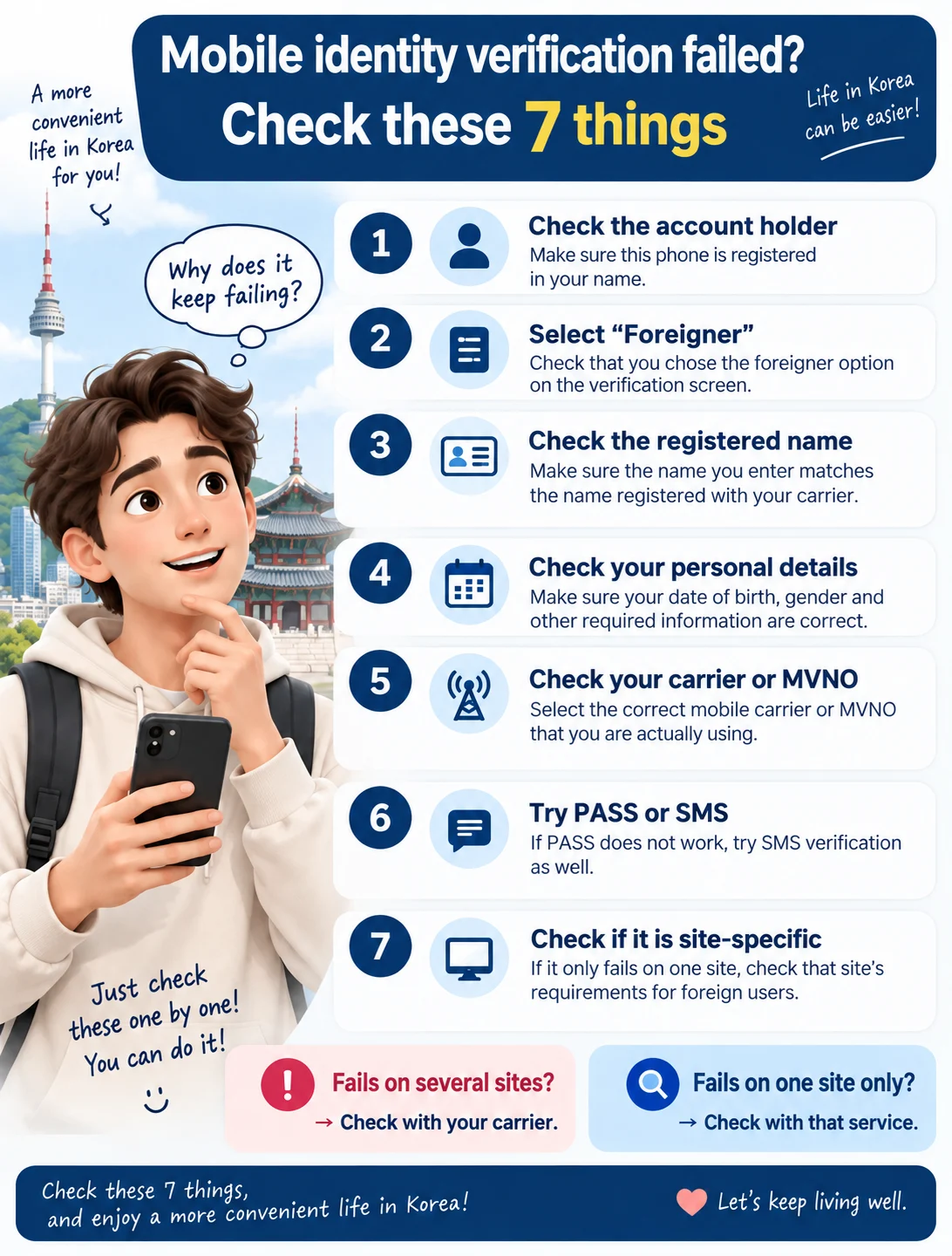
* Is the phone registered in your name? * Did you select the foreigner option? * Did you check the name registered with your carrier? * Are your date of birth and other requested details correct? * Did you select the correct carrier or MVNO? * Is SMS available if PASS does not work? * Does verification fail only on one particular service?
Do not immediately conclude that mobile identity verification in Korea is impossible simply because you are a foreign resident.
The most useful first step is to find where your information stops matching.
Official information checked
This guide was prepared using public information from the KISA identity-verification support portal, NICE ID mobile verification guidance, the official PASS FAQ, KT's PASS-related guidance, and Korean and English information published by the Korea Customs Service.
Information check and update
First checked: 2026-09-15 Last rechecked: 2026-09-15 Update: Initial cross-check of official information completed
This article is based on publicly available official information that could be confirmed as of September 15, 2026.
There is no single verified rule that applies across every carrier and service for English-name order, spacing, capitalization, the exact processing time after opening or changing a mobile account, or the availability of prepaid, MVNO, and eSIM lines.
Check these individually when necessary.
살아는 봅시다.